














If you’ve ever had a problem with your Telegram account, you’ve probably wondered how to contact Telegram support. Maybe your account was limited. Perhaps your phone number won’t register. You may have found a scammer or need help with a technical issue.
However, if you’re expecting a live chat or a support hotline, Telegram works a little differently. Instead, it uses volunteers, support forms, and in-app reporting tools. Therefore, knowing how the system works can save you a lot of time and help you get a better response. In this article, we’ll explain everything about how Telegram support works.
What Is Telegram Support?
Telegram Support is the official team that handles user reports, technical problems, security issues, abuse reports, and account-related questions. Telegram doesn’t have a large customer support department. Instead, it relies on:
- Volunteer support members
- Moderation teams
- Automated systems
- In-app reporting tools
When Should You Contact Telegram Support?
Contact Telegram support if you experience any of these problems:
- You can’t log in to your account.
- Your phone number isn’t receiving the verification code.
- Your account has been limited by mistake.
- Someone is impersonating you.
- You found a fake account.
- You discovered spam or scam activity.
- Your account may have been hacked.
- You found illegal or harmful content.
- A bug is preventing Telegram from working correctly.
For questions like “How do I create a group?” or “How do channels work?”, the Telegram FAQ and blogs like SmartBotsLand usually have the answer.
How to Contact Telegram Support
Need help? Telegram has several official ways to contact its support team.
1. In-App Support
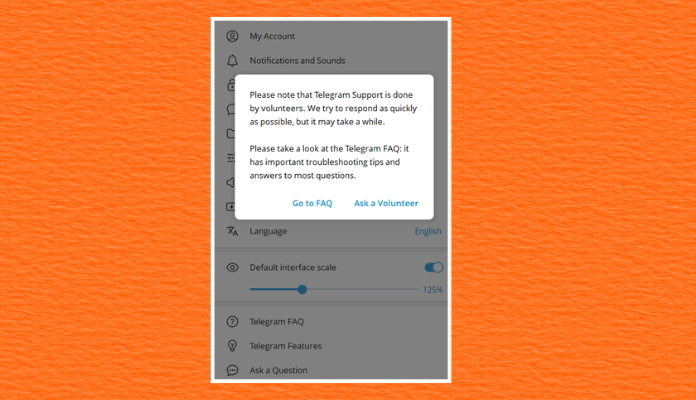
The easiest method is inside the Telegram app. Go to:
Settings → Ask a Question
You’d better first see some suggested FAQ articles. If those don’t solve your problem, you can message the support team (Ask a Volunteer). This option is available on both Android and iPhone.
2. Telegram Support Website
You can also use Telegram’s official support form. You’ll be asked to provide:
- Your phone number
- Your email address
- A detailed explanation of the problem
This form is useful if you can’t access your Telegram account.
3. Report Inside Chats or Channels
You don’t always need to contact support directly. If you find spam, scams, illegal content, or fake accounts, report them inside the app. Instead, open the profile or message, tap the menu, and choose Report. Then, Telegram’s moderation system reviews these reports.
4. Telegram FAQ
Many common questions are already answered in Telegram’s FAQ. You can also find helpful discussions on Reddit and Quora. Checking these websites first can save you time.
Official Telegram Support Bots
Telegram also uses a few official accounts for specific purposes. Some useful ones include:
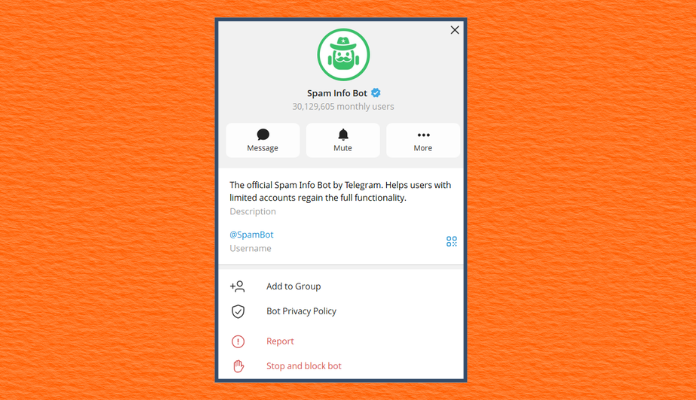
@SpamBot
@spambot lets you check whether your account has any messaging limitations. If you believe the restriction was applied by mistake, you can directly contact the bot.
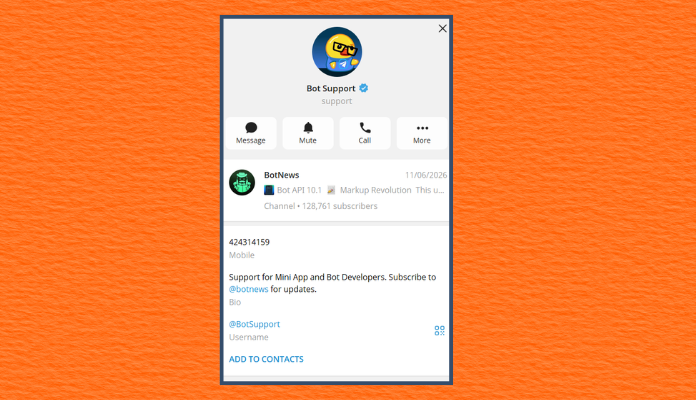
@BotSupport
@botsupport is created for developers who need help with the Telegram Bot API.
How Long Does Telegram Support Take to Respond?
There is no guaranteed response time. Some users receive a reply within a few hours. Others wait several days. Complex cases can take even longer. Response time depends on:
- The type of issue
- Whether it’s a security problem
- The details you provide
- The current support workload
- Whether your report needs further investigation
What Information Should You Include?
Avoid vague messages like “My Telegram doesn’t work.” They don’t give the support team enough information. Instead, write as much relevant information as possible. For example, good reports usually contain:
- Your phone number (including country code)
- Device model
- Operating system version
- Telegram app version
- Date and time the problem started
- Screenshots
- Error messages
- Steps that reproduce the issue
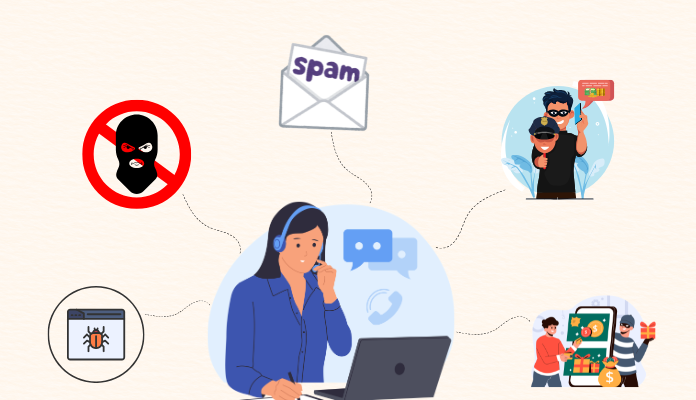
What Should You Report to Telegram?
Telegram wants users to report content that violates its policies or threatens user safety.
Spam: Mass unsolicited messages, fake giveaways, or promotional spam.
Fake accounts: Profiles pretending to be another person or company.
Scams: Investment fraud, cryptocurrency scams, fake stores, or phishing attempts.
Impersonation: Someone using your name, photo, or identity.
Child exploitation: Any content involving child abuse should be reported immediately.
Terrorism or violent extremism: Telegram is super sensitive about terrorist content and violent extremist activity.
Technical bugs: Application crashes, broken features, synchronization problems, or login errors.
What Usually Doesn’t Need Support?
Some issues can be solved without contacting Telegram, such as:
- Forgotten cloud chat history (if it was deleted)
- Questions already answered in the FAQ
- Learning how Telegram features work
- General privacy settings
- Notification settings
Tips for Getting a Better Response
If you want to improve your chances of receiving useful help, follow these tips.
Be Clear: Describe exactly what happened.
Stay Polite: Write clearly and stay polite. A respectful, well-organized message is easier to understand.
Include Evidence: Attach screenshots whenever possible, and make sure the picture is of good quality.
Avoid Sending Multiple Requests: Submitting the same report repeatedly usually doesn’t speed up the process.
Use Official Channels: Never share personal information with unofficial Telegram groups claiming to offer support. Not even with nice people you see on Reddit.
Is Telegram Support Safe?
Yes, as long as you’re using official Telegram support channels. Telegram will never ask for your:
- Verification code
- Password
- Two-step verification password
- Recovery phrase
- Banking information
If anyone asks for these details, they are almost certainly trying to scam you. Always double-check that you’re communicating through Telegram’s official website or verified support channels.
About SmartBotsLand
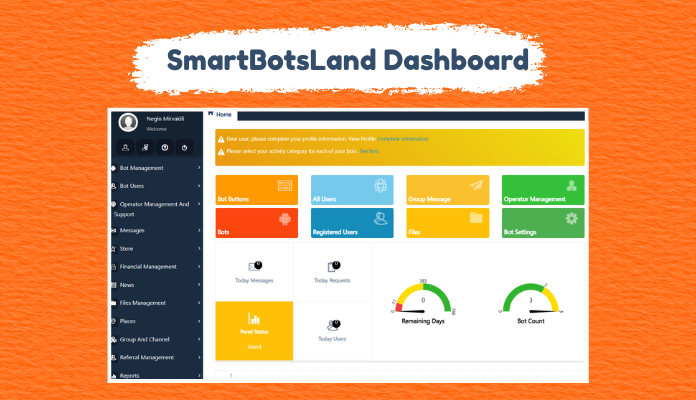
SmartBotsLand is a reliable and cost-effective platform that allows you to upgrade your simple, boring bot. After signing up, you will have a professional dashboard where you can customize the bot. For more information, visit this web page. Additionally, note that SmartBotsLand has a 7-day free trial.
FAQs
Does Telegram have live chat or phone support?
No. Telegram does not have phone customer support or live chat. Instead, it relies on volunteer support members, online support forms, and in-app reporting features to assist users.
What should I write in my Telegram report?
- Phone number (including country code)
- Device model
- Operating system version
- Telegram app version
- Detailed description of the issue
- Any error messages received
- Screenshots of the issue
- Approximate date and time when the problem started
Can I report spam or fake accounts on Telegram?
Yes. You can report spam messages, fake accounts, impersonation, scams, and other policy violations directly within the Telegram app. All you have to do is open the chat or profile and select Report from the menu.
Will Telegram ask for my verification code or password?
No. Telegram will never ask for your:
– SMS verification code
– Two-step verification password
– Recovery phrase, or
– Banking information.
If someone requests these details while claiming to be Telegram support, it is almost certainly a scam.
Why isn’t Telegram responding to my support request?
Telegram receives many support requests every day. Because of this, not every report gets an immediate response. Security issues and abuse reports are usually prioritized. If your report is about child exploitation, terrorism, or security problems, write that at the beginning of your report text.
Can I recover a deleted Telegram chat through support?
In most cases, no. If a cloud chat has been permanently deleted, Telegram support cannot restore it.



I can not access my telegram App
So sorry to hear that. What exactly happened to your Telegram? Is it hacked?