














A few years ago, building an AI chatbot sounded like something only geek developers could do. You needed code, servers, APIs, and probably three cups of coffee just to say “hello world.” Now? Things are much easier. Today, almost anyone can build a Telegram AI chatbot, whether you want a customer support assistant, a content bot, a personal helper, or even a perfect business automation system. And the best part? You don’t always need to write code.
In this article, we tell you how to create a Telegram AI chatbot step by step, the best platforms to use, common mistakes people make, and how to turn a boring basic bot into something that is actually smart and useful.
What Does a Telegram AI Chatbot Do?
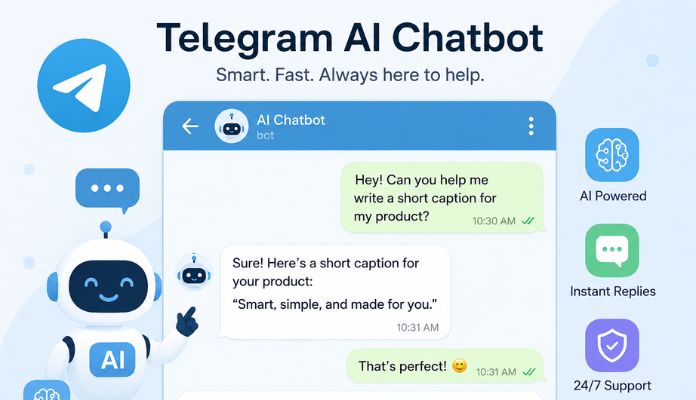
A Telegram AI chatbot is a Telegram bot powered by artificial intelligence. Instead of replying with fixed commands (like “Press 1 for Support”), AI chatbots can:
- Understand natural conversations
- Answer questions
- Remember context
- Generate content
- Summarize messages
- Handle voice messages
- Automate tasks
- Connect with tools like Gmail, Google Calendar, CRMs, and websites.
4 Steps to Create a Telegram AI Chatbot
Now that you know what a Telegram AI chatbot does, it’s time to learn how to create one. Follow these 4 steps:
1) Create a Simple Telegram Bot with BotFather
First, you need to create a regular Telegram bot using BotFather. Here’s how:
- Open Telegram and search for “BotFather” (the one with the blue tick)
- Start the chat and type /newbot
- Choose a name and a username
- Copy the API token you received. That token is basically the key to your bot. Keep it safe.
2) Find the Most Suitable AI Model
Your Telegram bot is alive, but it’s not even near “smart”. To make it intelligent, you should connect it to an AI model. Most people use:
- OpenAI GPT models
- Claude
- Gemini
- OpenRouter
- Local AI models
3) Connect Your Bot to an AI
This is where people get confused. The good news is that you don’t need to reinvent the wheel. There are already amazing platforms that let you create AI-powered Telegram bots without building everything from scratch. Here are some of the best ones.
n8n
A lot of creators use n8n to build advanced Telegram AI chatbot systems connected to OpenAI, Google Sheets, Gmail, CRMs, Notion, APIs, and voice transcription tools.
People are building bots that:
- answer customer questions
- summarize voice messages
- schedule meetings
- post content automatically
- manage social media
Voiceflow
Voiceflow is perfect if you want something visual and beginner-friendly. You can design chatbot conversations with drag-and-drop tools instead of coding everything manually. It’s especially good for:
- customer support bots
- FAQ bots
- onboarding assistants
- conversational AI
MindStudio
With MindStudio, you can build bots that do the following (instead of making a simple “question-answer” bot):
- AI customer support bots
- AI assistants
- Telegram automation agents
- content generation bots
- workflow bots
- AI-powered sales funnels
- autonomous agents with memory/workflows
It feels more like building a mini AI employee than a regular bot. The bot actually thinks before doing a task, follows the instructions exactly, can do multi-step actions, and connects with external apps.
YourGPT
Just like the other two platforms, YourGPT can be used to create an AI Telegram chatbot. In fact, Telegram is only one of the channels YourGPT supports. It can also be installed on WordPress, Shopify, Webflow, Wix, and other platforms. It’s designed to help companies that want:
- AI customer support
- Sales bots
- Lead generation
- Automated replies
- FAQ bots
- Multilingual Telegram bots, and more
Invent
Working with Invent is very easy because you shouldn’t drown in technical setup. With this platform, you can create AI assistants that manage conversations and answer questions. The best part is that you can connect your bot to multiple platforms (other than Telegram), such as:
- Slack
- Gmail
- Twilio
- Stripe, and more.
| Platform | Can You Create AI Telegram Chatbots? | Main Focus | Best For | Coding Needed? |
| Voiceflow | Yes | Conversational AI & chatbot design | FAQ bots, AI assistants, conversational flows | Low |
| MindStudio | Yes | AI agents & workflow automation | Autonomous AI agents, advanced workflows | Medium |
| YourGPT | Yes | Business AI support & multichannel bots | Customer support, lead generation, knowledge-base bots | Low–Medium |
| Invent | Yes | AI communication assistants | Customer support, omnichannel messaging, and AI inboxes | Low |
4) Add AI Features That Make Your Bot Feel Human
By adding some features, your Telegram AI chatbot gets more natural and less robotic. Some popular features include:
Memory: Without memory, your bot is basically a goldfish. Memory allows the bot to remember previous messages, past questions, ongoing tasks, and user preferences. Platforms like n8n, Voiceflow, and MindStudio already support this in different ways.
Voice Message Support: Many modern Telegram AI chatbots can process voice notes. Users talk, the bot transcribes the audio, understands it, and replies naturally. It feels less like “using software” and more like chatting with someone.
Smart Automation: Most people think AI chatbots are just “chat tools,” but they are more than that. They can:
- send emails
- update spreadsheets
- book appointments
- create tasks
- generate content
- automate repetitive tasks
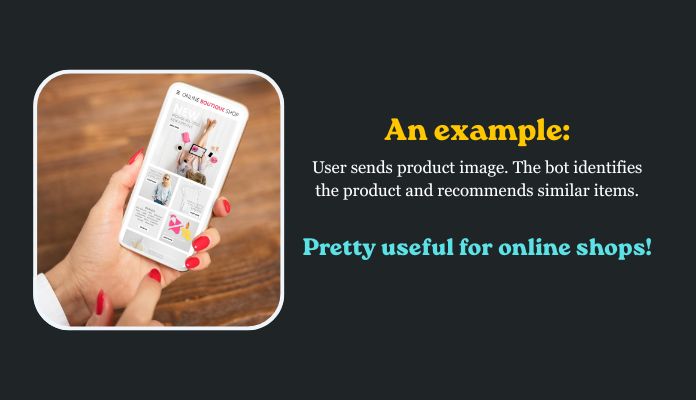
Image Understanding: This feature blows people’s minds the first time they use it. They send an image, the AI analyzes it, and responds accordingly. A well-designed Telegram AI chatbot can:
- identify objects
- read text from images
- analyze screenshots
- detect products
- describe scenes
3 Common Mistakes People Make
Here are 3 mistakes most people make when creating chatbots:
1) Making the Bot Too Complicated: Some people try building a “mega AI assistant” on the first day. This is a very bad idea because most of the time they fail to do so and get disappointed. We always recommend starting with a simple bot and improving it over time.
2) Ignoring User Experience: Nobody wants to talk to a confusing bot. People should be able to get help/answer within seconds (that’s why AI is built in the first place), so keep the replies short, simple, and natural. Don’t make your users solve puzzles just to get help.
3) Forgetting About Costs: AI APIs cost money. If your bot suddenly gets popular, API costs can rise fast. Be careful of that.
The Last Words
Creating a Telegram AI chatbot is easier than you think. You start by creating a Telegram bot through BotFather, then connect it to an AI model like GPT. Platforms like n8n, Voiceflow, MindStudio, and YourGPT make the process much simpler, even for beginners. Telegram AI chatbots can actually manage conversations, voice messages, automations, customer support, and much more. If you are trying to automate your business, this is where you should begin.
About SmartBotsLand
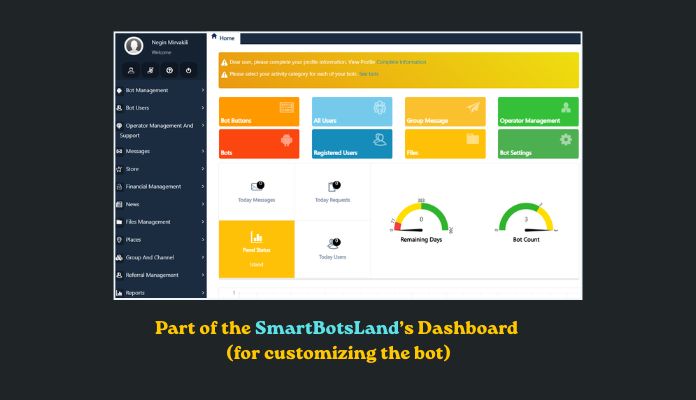
Unlike many messaging apps, Telegram bots are flexible, customizable, extremely smart, and cost-effective. Here are some reasons why thousands of businesses, creators, and developers use Telegram bots every day.
- They are easy to create
- You can connect AI tools like ChatGPT in minutes
- Bots can work 24/7
- Telegram supports text, voice, files, images, and even payments
- You can automate customer support, sales, content delivery, moderation, and more
One of the oldest and most famous platforms for creating Telegram bots is SmartBotsLand. With this platform, you can create a:
- Shop bot (to sell files and physical products)
- Subscription bot (to collect subscription fees from channel members)
- Group management bot (to handle the group members)
FAQs
How do I create a Telegram AI chatbot?
First, create a Telegram bot using BotFather. Then connect it to an AI model using platforms like n8n, Voiceflow, or MindStudio.
Do I need coding skills to build a Telegram AI chatbot?
Not necessarily. Many no-code and low-code tools are available on the market, including those we mentioned in this article.
Can a Telegram AI chatbot understand voice messages?
Yes. Many AI chatbots can transcribe and understand voice messages using AI speech recognition tools.
What can a Telegram AI chatbot do?
Depending on its setting, it can:
- answer questions
- automate tasks
- summarize messages
- generate content
- process voice notes
- connect with external apps
- support customers
- Create content
What are the 10 best Telegram AI chatbots?
- AI customer support
- AI content writer
- Study assistant
- AI trading assistant
- Podcast recommendation bot
- AI language tutor
- Voice transcription bot
- AI image reader
- AI sales chatbot
- Group Management
